
Example: a certificate request in Teams, drafted and waiting for the HR service center.
- EmployeeI need an employment certificate for my landlord.
- AgentI can draft one from your entry date, site, job title and weekly hours. Source: certificate guideline, section 2.
- AgentDrafted. The HR service center signs it off first.
Feldrain's model quotes your policy word for word or fills in one change form, and writes to no record itself.
First a router we trained sorts each message: a question, one of the four changes, or a case for a person. Under nine in ten sure, it asks one question back, then hands over. The models are our own, and no outside AI company sees a message.
It reads the message, the matching policy paragraphs and the allowed fields.
A second model checks that the quoted paragraph answers the question before it goes out.
It reads the one chat sent to it, never the employee's other chats, channels or meetings.
Anything outside these four never reaches the model.
Example: one message as the model receives it, the sender taken from the Teams sign-in.
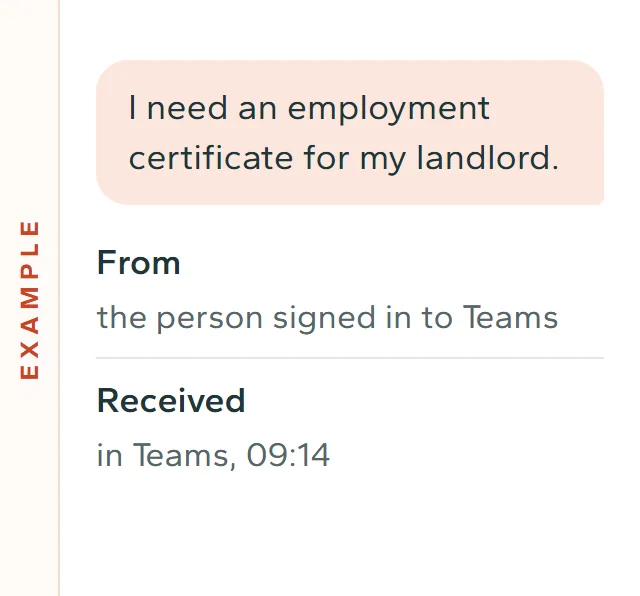
The message
Its text, and the sender from the Teams sign-in.
Policy paragraphs
From your SharePoint site. Unreadable files are named.
Allowed fields
The council's list for this action. Salary stays out.
Approver group
Who will see the card for this action.
It answers only when it can quote the paragraph that answers.
Ask for a pilotThe quote must match word for word and a second model must agree it answers, so your HR service center gets more questions than a guessing agent would send.
A wrong answer about leave or pay costs more than a slower right one.
It can't read an employee's mood. The router has no output for one.
Nor is any of these a setting someone could switch on.
No field off the list
Outside Annex 1, never fetched.
No ranking of candidates or staff
No such feature exists.
No unapproved change
Nothing is approved by timeout.
A named person approves every change, and the card shows them what they're deciding.
Only the approver's Approve on the card releases a change to Entra ID or SuccessFactors, and each one costs a person a minute. Where your annex allows, decisions stripped of names and text help set when the agent answers and when it hands over.
Resets go to the IT service desk, access to the drive's owner, addresses and certificates to the HR service center.
Approve stays inactive until they open what changes and which fields were read.